A Anbernic RG353V - ArkOS set up.
I recently picked up an Anbernic RG353V, a compact retro handheld that’s been getting a lot of attention for its versatility and dual-boot capabilities. Out of the box, it came with the stock Linux/Android setup, but I wasn’t entirely satisfied with the performance or interface—so I decided to flash a custom firmware called ArkOS. This post isn’t really a full tutorial for others; it’s more of a personal record, a step-by-step log I can look back on if I ever need to redo the setup or troubleshoot in the future.
Download the ArkOS for RG353V.
We can do so by finding the download links at -
https://github.com/christianhaitian/arkos/wiki#download-links
Decompress the compressed file.
Download file name is something simialr to, ArkOS_RG353V_v2.0_02092025.img.xz.
The file can be uncompressed using the command below & should be around ~6-7 GB.
7z x ArkOS_RG353V_v2.0_02092025.img.xz
Flashing the image to a bootable SD Card - TF1/INT.
We can use the tool like dd in Linux/Unix environment to flash the OS to the SD Card.
Format the micro-SD Card using terminal (Mac)
Find the /dev/disk#
diskutil list
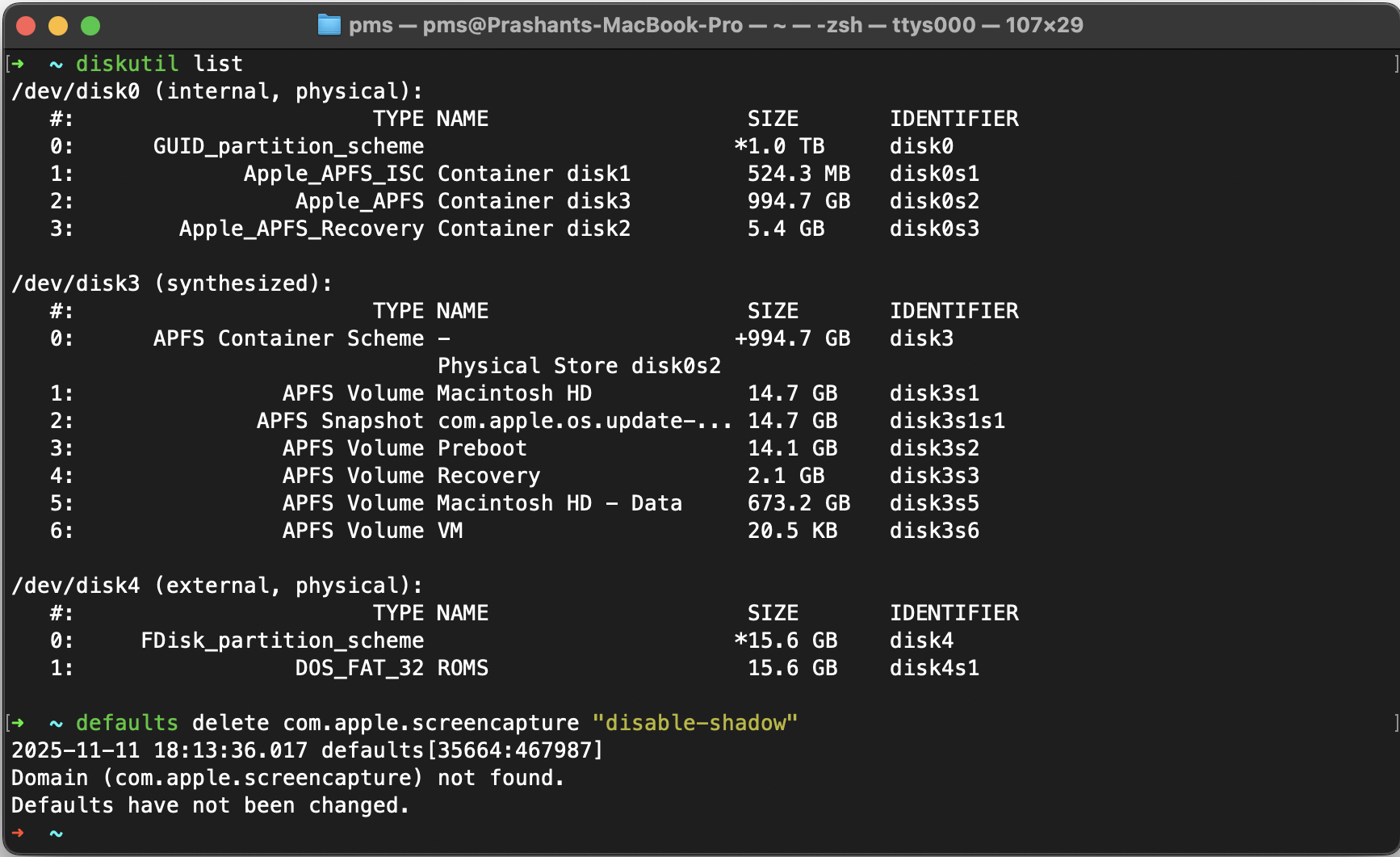
In this case, my SD Card is /dev/disk4. We can format the SD Card with the following command.
diskutil partitionDisk /dev/disk4 MBR MS-DOS FAT32 100%
Flash ArkOS image to the SD-Card.
sudo dd if=~/Downloads/ArkOS_RG353V_v2.0_02092025.img of=/dev/disk4 bs=4294967296 status=progress
Once completed, eject the SD-Card, insert it in TF1/INT. slot of RG353V.

Enjoy.
