P Private Internet Access OVPN config edits for OpenVPN connection.
For whatever reason, Private Internet Access client wasn’t providing me with reliable connection. I downloaded the VPN profiles and tried to manually connect via. OpenVPN client using CLI but it was throwing some weird errors related to certificate validations. After few research, I found out that we need to remove crl-verify section, and replace compress with simply comp-lzo no.
Downloading OpenVPN .ovpn profiles for P.I.A.
- Head over to the downloads section of P.I.A after logging in.
- Scroll to the bottom towards the VPN Settings section > OpenVPN Configurations and download the configuration files.
- Uncompress the profiles wherever you want, I’ve it stored at
/Users/pms/Downloads/openvpn-strong.
Editing the .ovpn files.
- Replace all occurances of
compresswithcomp-lzo no.sed -i -e 's/compress/comp-lzo no/g' *.ovpn - Replace all occurances of
<crl-verify>block.sed -i -e 's/"<crl-verify> -----BEGIN X509 CRL----- MIIDWDCCAUAwDQYJKoZIhvcNAQENBQAwgegxCzAJBgNVBAYTAlVTMQswCQYDVQQI EwJDQTETMBEGA1UEBxMKTG9zQW5nZWxlczEgMB4GA1UEChMXUHJpdmF0ZSBJbnRl cm5ldCBBY2Nlc3MxIDAeBgNVBAsTF1ByaXZhdGUgSW50ZXJuZXQgQWNjZXNzMSAw HgYDVQQDExdQcml2YXRlIEludGVybmV0IEFjY2VzczEgMB4GA1UEKRMXUHJpdmF0 ZSBJbnRlcm5ldCBBY2Nlc3MxLzAtBgkqhkiG9w0BCQEWIHNlY3VyZUBwcml2YXRl aW50ZXJuZXRhY2Nlc3MuY29tFw0xNjA3MDgxOTAwNDZaFw0zNjA3MDMxOTAwNDZa MCYwEQIBARcMMTYwNzA4MTkwMDQ2MBECAQYXDDE2MDcwODE5MDA0NjANBgkqhkiG 9w0BAQ0FAAOCAgEAppFfEpGsasjB1QgJcosGpzbf2kfRhM84o2TlqY1ua+Gi5TMd KydA3LJcNTjlI9a0TYAJfeRX5IkpoglSUuHuJgXhP3nEvX10mjXDpcu/YvM8TdE5 JV2+EGqZ80kFtBeOq94WcpiVKFTR4fO+VkOK9zwspFfb1cNs9rHvgJ1QMkRUF8Pp LN6AkntHY0+6DnigtSaKqldqjKTDTv2OeH3nPoh80SGrt0oCOmYKfWTJGpggMGKv IdvU3vH9+EuILZKKIskt+1dwdfA5Bkz1GLmiQG7+9ZZBQUjBG9Dos4hfX/rwJ3eU 8oUIm4WoTz9rb71SOEuUUjP5NPy9HNx2vx+cVvLsTF4ZDZaUztW9o9JmIURDtbey qxuHN3prlPWB6aj73IIm2dsDQvs3XXwRIxs8NwLbJ6CyEuvEOVCskdM8rdADWx1J 0lRNlOJ0Z8ieLLEmYAA834VN1SboB6wJIAPxQU3rcBhXqO9y8aa2oRMg8NxZ5gr+ PnKVMqag1x0IxbIgLxtkXQvxXxQHEMSODzvcOfK/nBRBsqTj30P+R87sU8titOox NeRnBDRNhdEy/QGAqGh62ShPpQUCJdnKRiRTjnil9hMQHevoSuFKeEMO30FQL7BZ yo37GFU+q1WPCplVZgCP9hC8Rn5K2+f6KLFo5bhtowSmu+GY1yZtg+RTtsA= -----END X509 CRL----- </crl-verify>"//g' *.ovpn - Create
authfile.cat > auth <username> <password> - Replace
authfile in all configs to utilize the same credentials.sed -i -e 's/auth-user-pass/auth-user-pass auth/g' *.ovpn
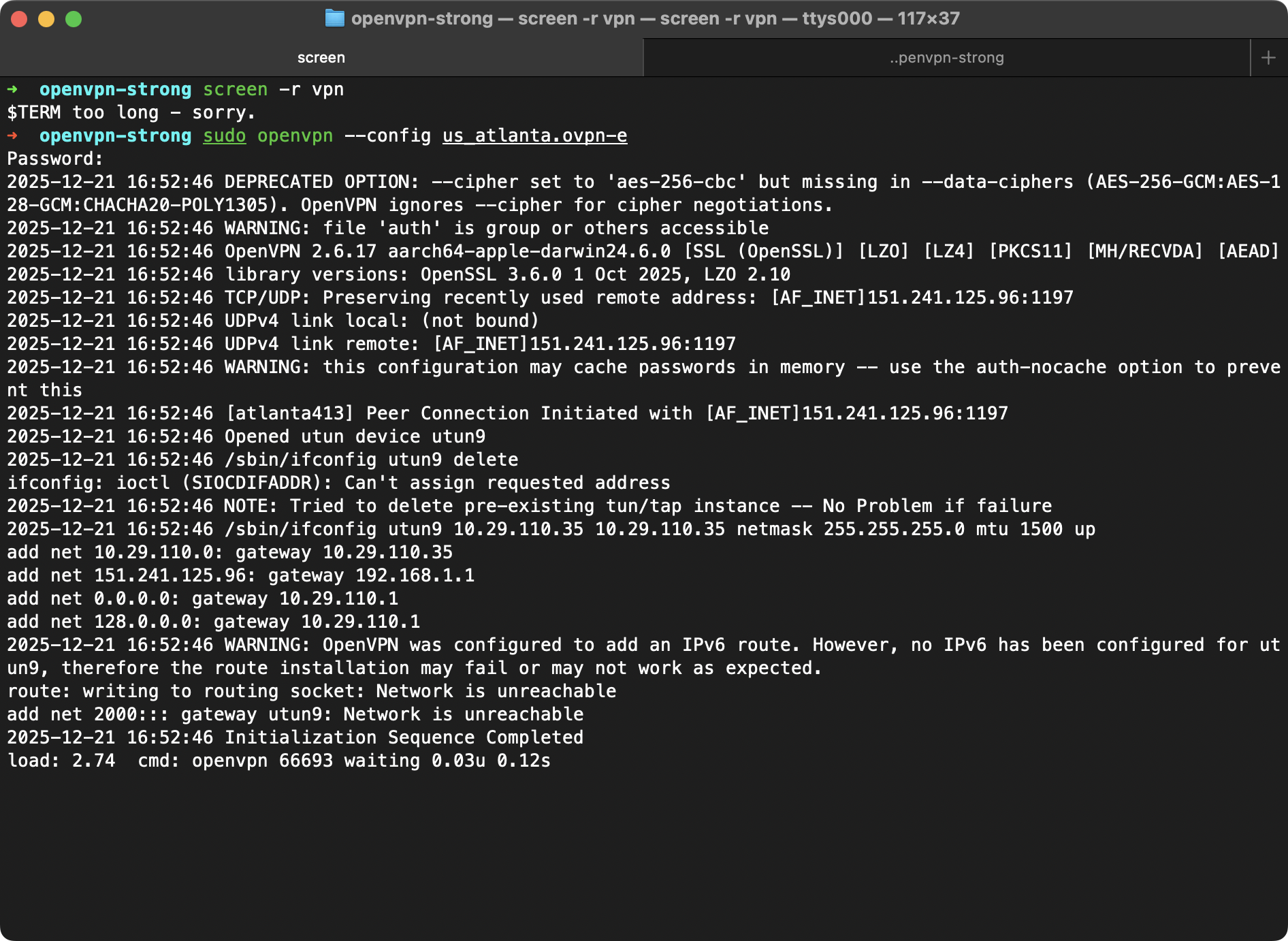
Connect to the VPN using .ovpn-e file.
sudo openvpn --config us_atlanta.ovpn-e
sudo openvpn --config us_atlanta.ovpn --auth-user-pass auth